Free online invitation pages with RSVP
Free online invitations that open like a gift
Choose a design with an envelope, a moving scene and a handwritten title. Tell the assistant your names, date and place, and your invitation page is ready to share, with a map, a calendar file and replies that remember each guest’s menu and diet. Free to start, and your guests need no app.
- Free to start
- Opens like an envelope
- Moving scenes
- Story format
- RSVP with menu & diet
- Seating plan & checklist
1. Design your invitation


We're getting married!
Andrew & Anastasia
Sunday · August 15 · 2027
St. Mary's Cathedral
15:30
The Grand Hall
18:30
Please confirm your attendance!
Can't wait to celebrate together!
How it opens
Wax colour
Effect
Envelopes
Templates
Wax seals
Your own seal: icon, SVG, letters, logo or drawing
Icon or SVG
Loading icons…
Your own SVG
Only the outlines are used (paths and basic shapes). Scripts, styles and pictures inside the file are ignored, and nothing is uploaded here.
Music
- Ceremony1:13
- Ceremony - Ceremony Music2:50
- Ceremony Wedding Invitation Music3:00
- Green Fields (Wedding)3:08
- Wedding2:17
No music yet. More songs, or make one
Make it yours
Free to start. Your choices above run in your browser; nothing is saved until you sign in.
2. Share and invite
Send it in the app your guests already use
One link opens as an envelope on any phone or computer. Send it in a chat, a text or an email, or print the QR code on a card.
- Telegram
- Messenger
- Viber
- LINE
- X
- SMS
- QR code
- Copy link
- Share sheet
RSVP
Replies
Guests tap their numbers, you see the totals
Adults, children and infants with plus and minus buttons. Menu choices and allergies if you ask. The list and a spreadsheet export add themselves up.
3. Organize your event
Plan the tables on a map
Round, square or rectangle tables. Drag a family onto a table, or let it seat everyone by group. Print the plan, the table numbers and place cards.
QR seating, guestbook and printables
4. QR smart seating
Guests scan, type their name and see their table and who sits there.
5. Digital guestbook
A name, an emoji and a wish. You can hide any of them.
6. Print accessories
Table numbers, place cards and QR signs on A4, ready to cut.
Change your mind later? Open your invitation and pick another design: your text stays.
Pick a design you love
Every preview is the real invitation, opened. Tap one to try it live, then make it yours: names, colours, scene and wording all change by asking. Weddings, christenings, baby showers and more.
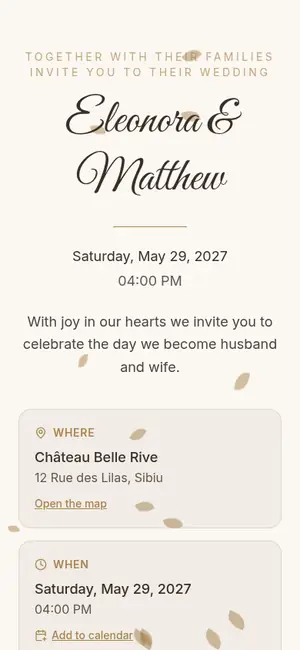 AnimatedOpen the live sample
wedding
Ivory Vows
Ivory paper, old gold and a handwritten title; petals drift past as the envelope opens.
EnvelopePetals
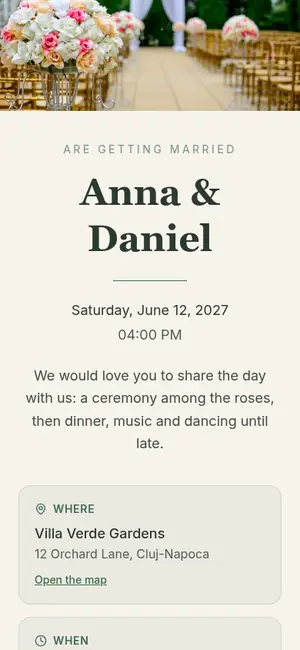 Open the live sample
wedding
Garden wedding
A classic invitation with a ceremony among the roses, dinner and a dress code.
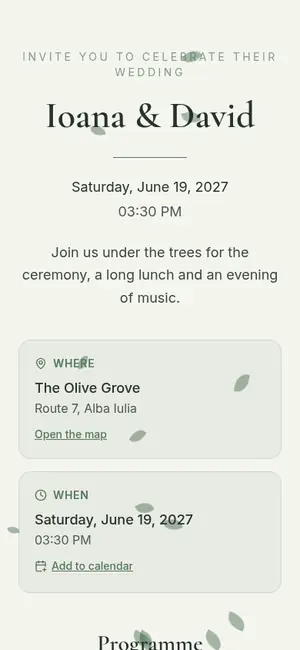 AnimatedOpen the live sample
wedding
Eucalyptus
Soft sage and cream, calm and natural, like a garden ceremony.
EnvelopePetals
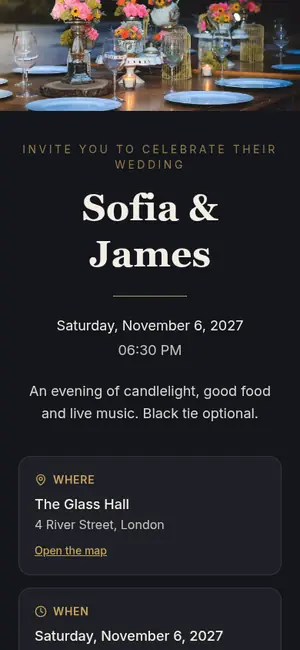 Open the live sample
wedding
Evening wedding
A romantic evening reception in the city: dark, candlelit and elegant.
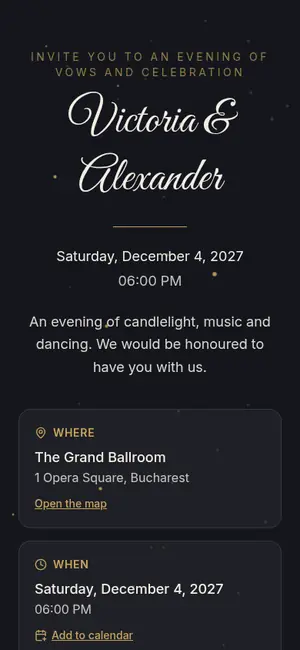 AnimatedOpen the live sample
wedding
Midnight Gold
A dark navy sky with gold type and a slow shimmer of stars.
EnvelopeStars
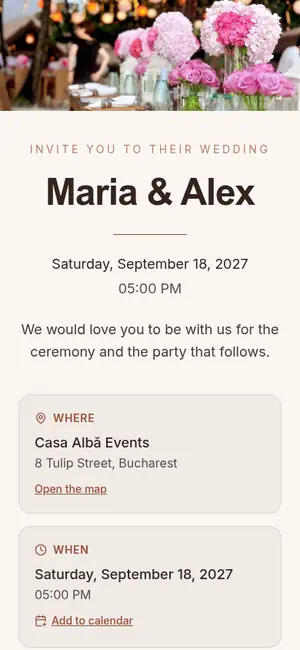 Open the live sample
wedding
Modern wedding
A relaxed, warm-toned wedding page: ceremony, cocktails, dinner and a late party.
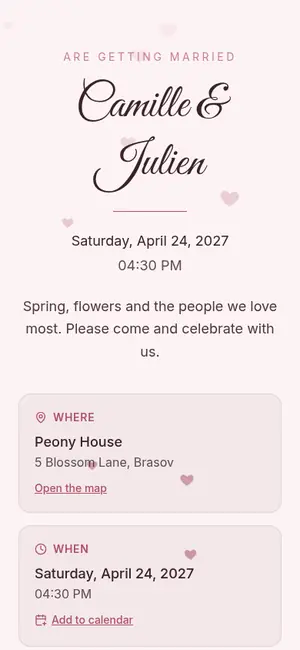 AnimatedOpen the live sample
wedding
Blush Peony
Powder pink and deep rose with a romantic script, a wax seal that cracks open and rising hearts.
Wax sealHearts
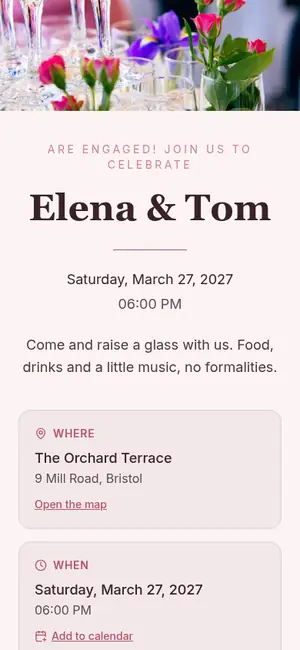 Open the live sample
engagement party
Engagement party
A relaxed celebration to toast the news with family and friends.
 AnimatedOpen the live sample
wedding
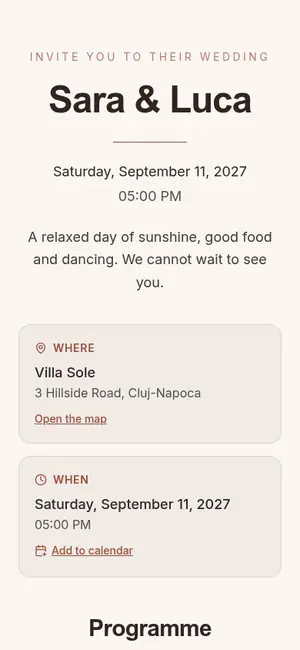
Terracotta Sun
Warm clay and cream in a clean modern layout: no opening, straight to the details.
 Open the live sample
bridal shower
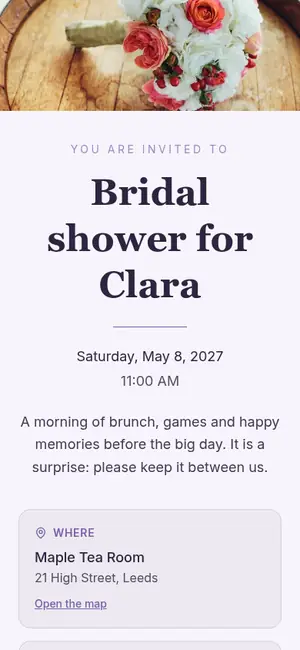
Bridal shower
A brunch-style invitation with games, gifts and a surprise.
 AnimatedOpen the live sample
wedding
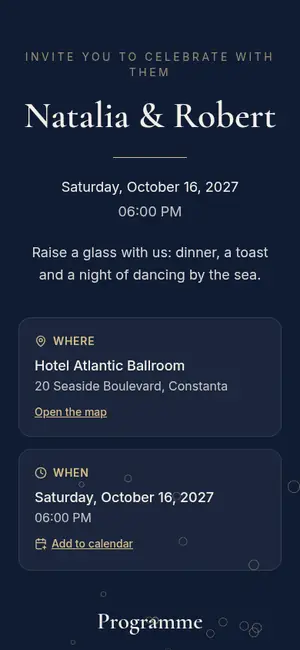
Navy & Champagne
Deep navy, champagne gold, velvet curtains that part and rising bubbles for a celebration that sparkles.
CurtainsBubbles
 Open the live sample
baby shower
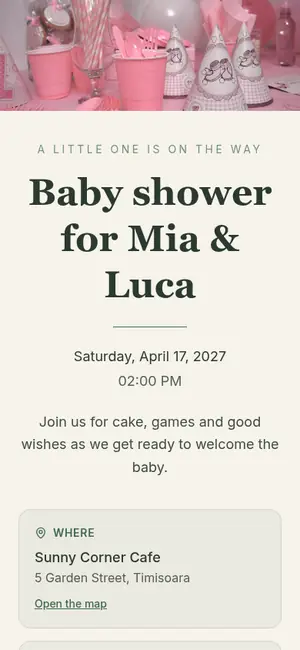
Baby shower
A soft, friendly page for a baby shower with gift ideas and games.
 AnimatedOpen the live sample
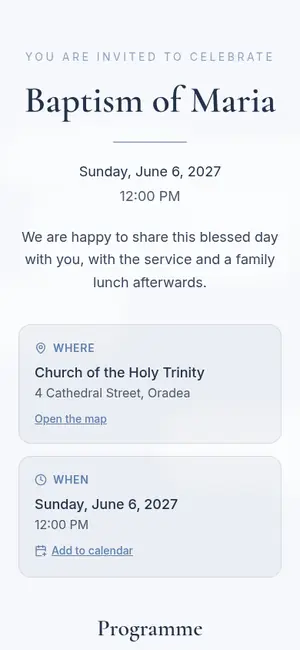
baptism
Soft Halo
Pale blue and white with drifting clouds, gentle and reverent.
EnvelopeClouds
 Open the live sample
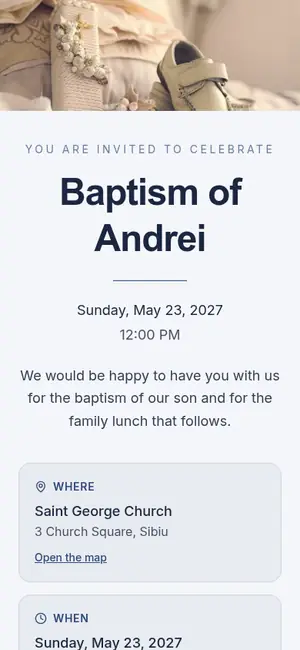
baptism
Baptism / christening
A warm invitation for a baptism with the service and the lunch afterwards.
 AnimatedOpen the live sample
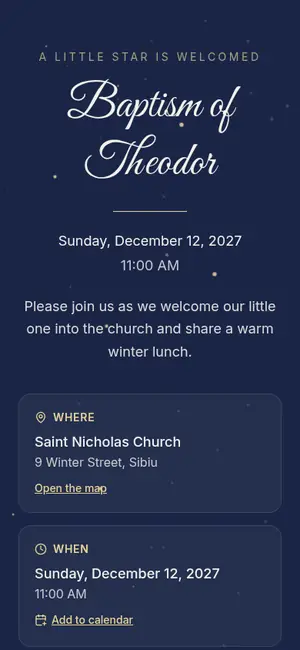
baptism
Starlit Cradle
A deep blue night sky with soft gold stars and a handwritten name.
EnvelopeStars
 Open the live sample
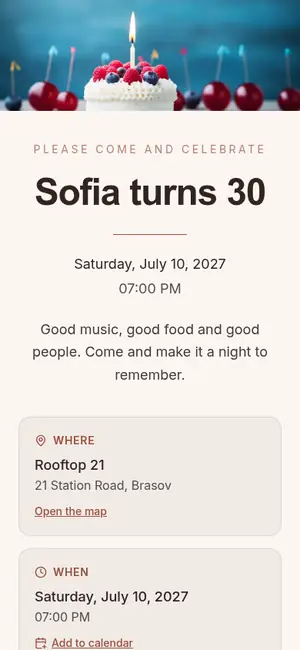
birthday
Birthday party
A bright, simple birthday invitation with the details and an RSVP.
 AnimatedOpen the live sample
baptism
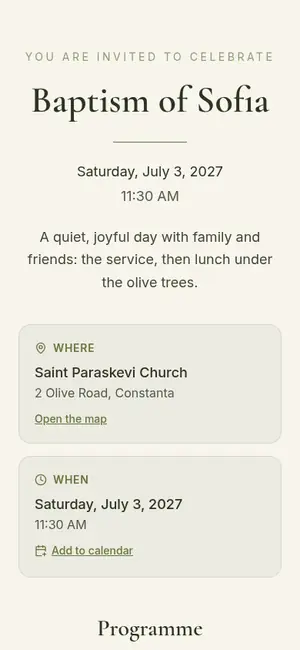
Olive Branch
Warm cream and olive green: peaceful, natural and timeless.
Envelope
 Open the live sample
kids' birthday
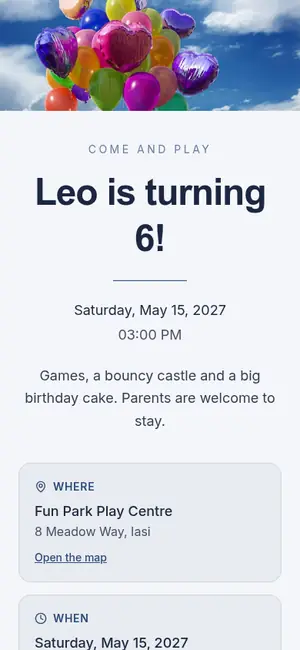
Kids' birthday
A colourful invitation for a children's party with a parent note.
 AnimatedOpen the live sample
baby shower
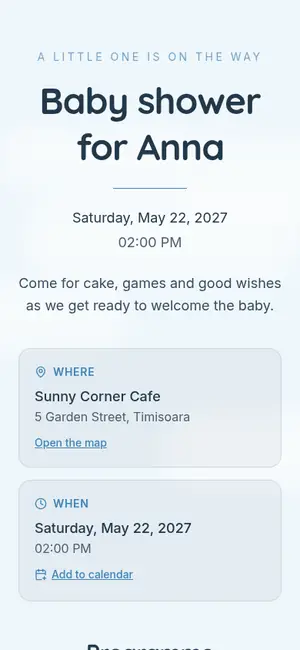
Cloud Nine
Sky blue with floating clouds and a rounded, friendly type.
EnvelopeClouds
 Open the live sample
anniversary
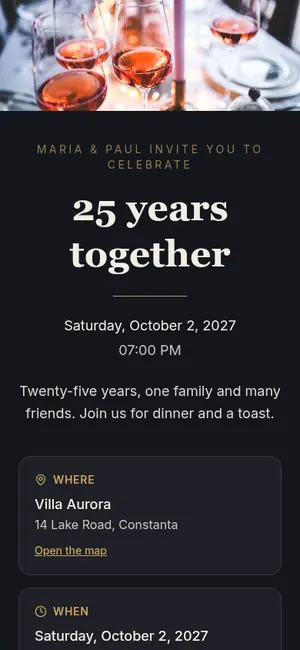
Anniversary
A dinner invitation for a wedding anniversary or milestone.
 AnimatedOpen the live sample
baby shower
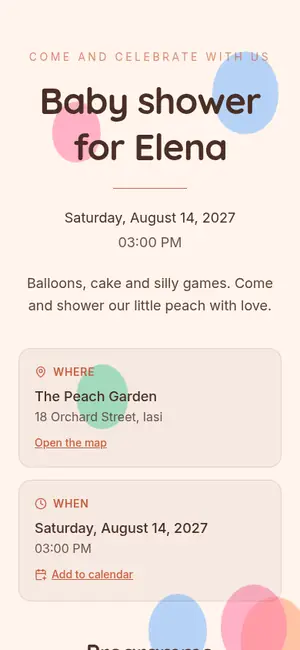
Sweet Peach
Peach and cream with balloons rising across the page.
EnvelopeBalloons
 Open the live sample
graduation party
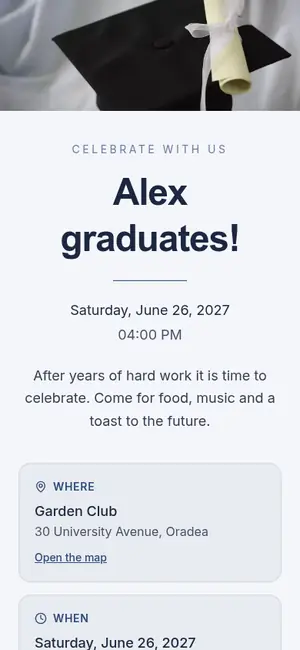
Graduation party
Celebrate a graduate with a casual party and a photo wall.
 AnimatedOpen the live sample
baby shower
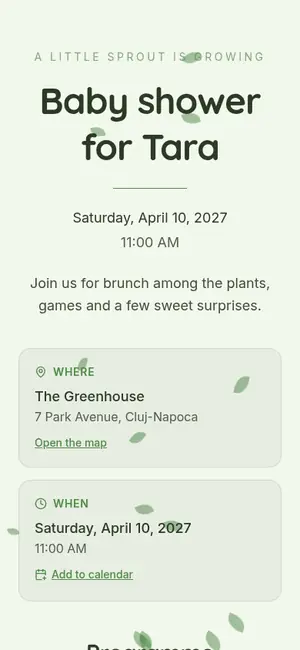
Little Sprout
Fresh green and cream with petals and a soft, round type.
EnvelopePetals
 Open the live sample
housewarming
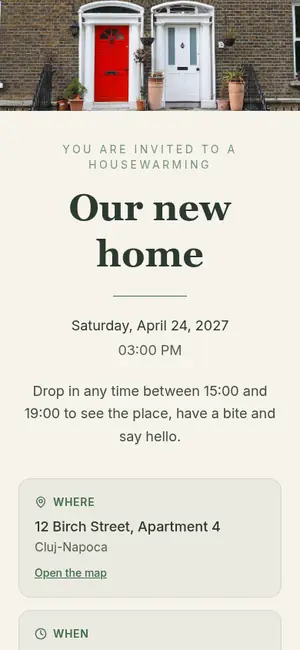
Housewarming
A friendly open-house invitation with the address and drop-in hours.
 AnimatedOpen the live sample
wedding
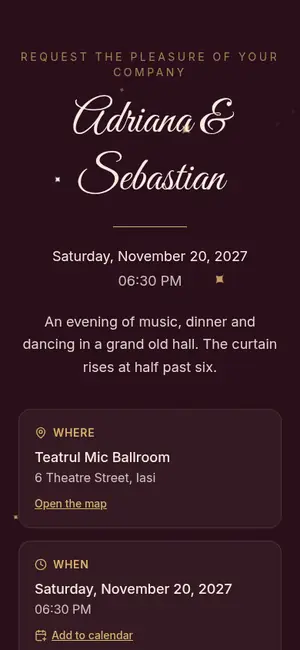
Velvet Curtain
Deep wine velvet curtains part to reveal the page, with a glitter of gold sparkles.
CurtainsSparkles
 Open the live sample
company event
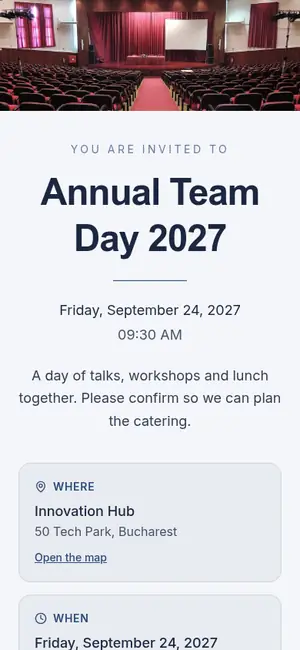
Company event
A clean invitation for a team event, launch or conference with an agenda.
 AnimatedOpen the live sample
wedding
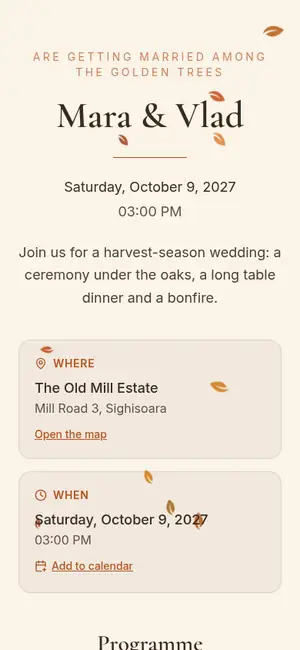
Autumn Leaves
Warm cream and burnt orange: a wax seal cracks open and autumn leaves fall.
Wax sealLeaves
 Open the live sample
party
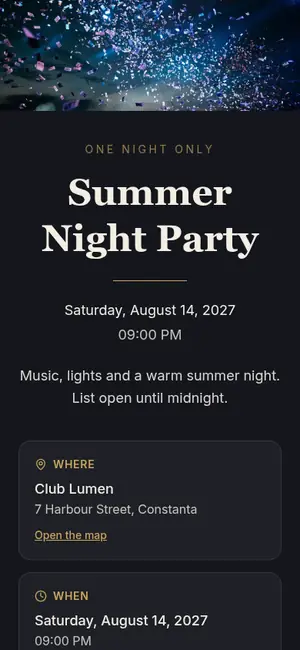
Party night
A bold one-night party invitation with a start time and a dress code.
 AnimatedOpen the live sample
wedding
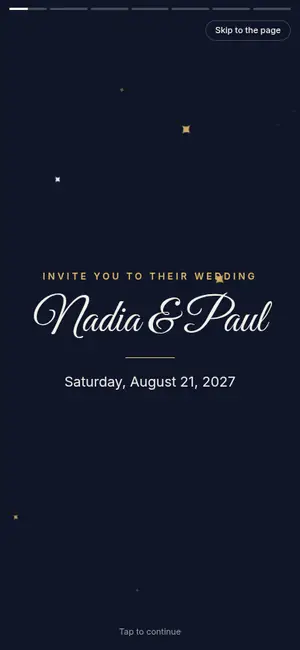
Story Night
Your invitation as full-screen stories: tap through the date, the place and the programme, then reply.
EnvelopeSparklesStory format
 AnimatedOpen the live sample
baptism
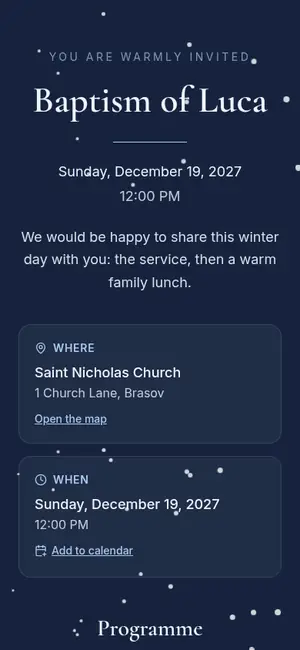
Winter Snow
A deep blue winter evening: tall doors swing open and soft snow falls.
DoorsSnow
 AnimatedOpen the live sample
baby shower
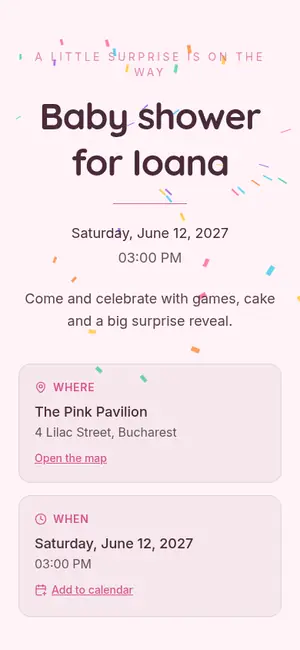
Gift Box
Raspberry pink and cream: a gift box lifts its lid and confetti rains down.
Gift boxConfetti
Prefer to browse every sample, simple ones included? See all sample invitations.
More than a pretty page
An opening guests remember
An envelope, curtains, a wax seal, double doors or a gift box: guests tap and the invitation opens, then the page appears.
A scene that moves quietly
Petals, stars, snow, confetti, hearts or fireflies drift behind the page. It never gets in the way of reading, and it stands still for guests who prefer less motion.
Story format for phones
Show the invitation as full-screen slides, like a story: the date, the place, the programme, then the reply form. Tap to move on.
RSVP that asks the right things
Yes or no, how many are coming, and your own questions: menu choice A, B or C, diet, allergies. Every answer lands in your guest list.
Plan the day, not just the page
A checklist with due dates counted back from the day, tables and seating with printable lists, and each guest’s diet next to their name.
Map, calendar and one link
The venue with a map link, an add-to-calendar file and one address to send by message, WhatsApp or QR code. Change anything later by asking the assistant.
A song that plays when the invitation opens
Choose one of the free tunes, or make a song of your own with your names in it: a 30 second clip or a full song, sung or instrumental. Read the words first, free. A guest hears it when they open the page.
A song page for each occasion
From idea to link in three steps
- 1
Pick a look
Choose a design above, or just describe the mood you want.
- 2
Tell the assistant
Names, date, place, programme and the questions you want guests to answer.
- 3
Send one link
By message, WhatsApp or QR code. Watch the replies arrive and plan the tables.
Browse by occasion
Each page shows what to put on the invitation, when to send it, wording you can use and live samples.
Free wedding invitation page
A wedding page replaces the printed card and the group-chat questions: guests get the date, the map, the day's programme and a way to reply, all in one link.
12 sample pages
Engagement party invitation page
Engagement parties are informal and often organised fast, so one link that says where, when and what to wear saves a lot of messages.
1 sample pages
Bridal shower invitation page
A bridal shower is usually a surprise, so the page has to be easy to forward to the right people and nobody else.
1 sample pages
Free baby shower invitation page
Baby showers have a long guest list and many small questions (gifts, food, who else is coming). One page answers them before anyone asks.
5 sample pages
Baptism and christening invitation page
A baptism has two places and two times, the service and the lunch. The page keeps both, with a map for each.
5 sample pages
Free birthday invitation page
A birthday needs three answers: when, where and who is coming. A page with a reply form gives all three in one link.
1 sample pages
Kids' birthday party invitation page
Parents need the start, the pick-up time and whether to stay. The page says it, and asks about allergies in the reply.
1 sample pages
Anniversary party invitation page
Milestone anniversaries bring family from several places. A page with travel notes and a reply form keeps it organised.
1 sample pages
Graduation party invitation page
Graduation parties come right after exams, so they are planned in a hurry. A page you can build in a minute and send to the family chat fits that.
1 sample pages
Housewarming invitation page
A housewarming is open house: people need the address, the hours and where to park. The page has all three, with a map.
1 sample pages
Company event invitation page
For a team event you need a count and dietary needs more than a pretty card. The page lists the agenda and collects the replies in a list you can export.
1 sample pages
Party invitation page
For a party the page has to be quick to read: when, where, what to wear and a way to say yes.
1 sample pages
Guides: wording, styles and features
- Party invitation with RSVP
- Wedding invitation with map and add to calendar
- Party QR code invitation
- WhatsApp birthday invitation
- Free party RSVP page
- Birthday party guest list tracker
- Free wedding website
- Wedding save the date page
- Wedding schedule for guests
- Team event registration page
- Anniversary invitation with dress code and notes
- Boho wedding invitation
- Rustic wedding invitation
- Minimalist wedding invitation
- Beach wedding invitation
- Winter wedding invitation
- Black tie invitation
- Surprise birthday party invitation
- 30th birthday invitation
- 50th birthday invitation
- First birthday invitation
- Gender reveal invitation
- Baby shower brunch invitation
- Graduation party invitation
- Engagement dinner invitation
- Retirement party invitation
- Wedding invitation wording
- Adult birthday invitation
- Baby shower invitation
- Kids birthday invitation wording
- Housewarming invitation
- Graduation party invitation
- Baptism invitation
- Engagement party invitation wording
- Anniversary party invitation
- Company event invitation
- Wedding RSVP wording
- Save the date wording
Questions
Do my guests need an app or an account?
No. They open one link in their phone’s browser, tap the invitation and reply. No download and no sign-in.
Can I change the design after I start?
Yes. Ask the assistant for another colour, scene, opening or type, or change them in the editor. Your names, date and programme stay.
Is it really free?
Yes: making an invitation page, sharing the link and collecting replies is free to start. Our most elaborate animated designs may move to a Pro plan later; we will say so clearly before anything changes.
Can guests reply with allergies or a menu choice?
Yes. Add questions such as menu choice or diet to the reply form, and you see every answer in the guest list and next to their name in the seating plan.
Is there music?
Yes. A tune starts when the guest opens the invitation. Pick one of the free tunes in the editor, or make a song of your own with the names sung, as a 30 second clip or a full song. A free account has enough credits for a clip. The guest hears it in the browser, on a phone too.
Your invitation is one sentence away
Describe your event and the page appears, ready to share.