Pro skills
Reports and presentations for work and school, finished for you
Say what you need. The assistant writes a real Word report or PowerPoint deck, checks every page and hands it to you with PDF and Markdown copies.
Included in paid plans, or pay with credits.
Pro Word report
Title page, contents, tables, charts, headers and page numbers, as a real .docx you can edit.
See Word reportsPro PowerPoint
A designed deck with editable text, native charts, timelines and speaker notes.
See PowerPoint decksTransform your files
Attach a Word, PDF, spreadsheet or notes and ask for a report or deck made from them.
Start from a fileTake it anywhere
Every Pro file comes with a PDF copy for sending and a Markdown copy for your own tools.
See the examples
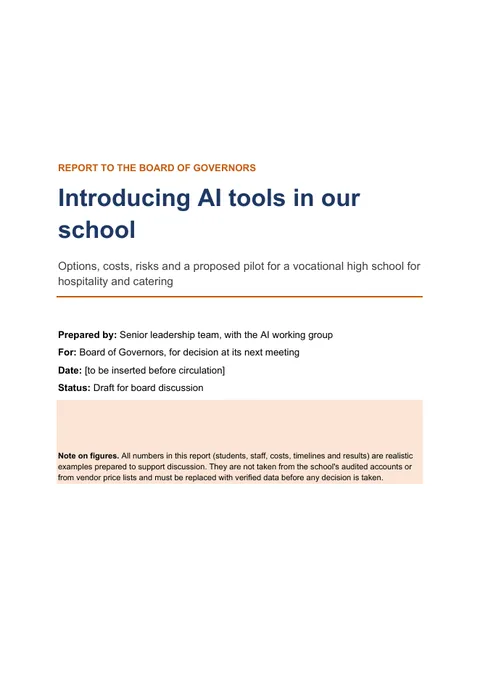
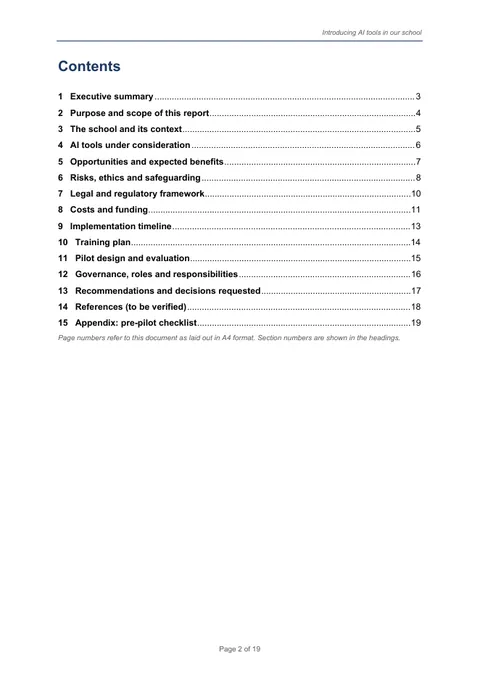
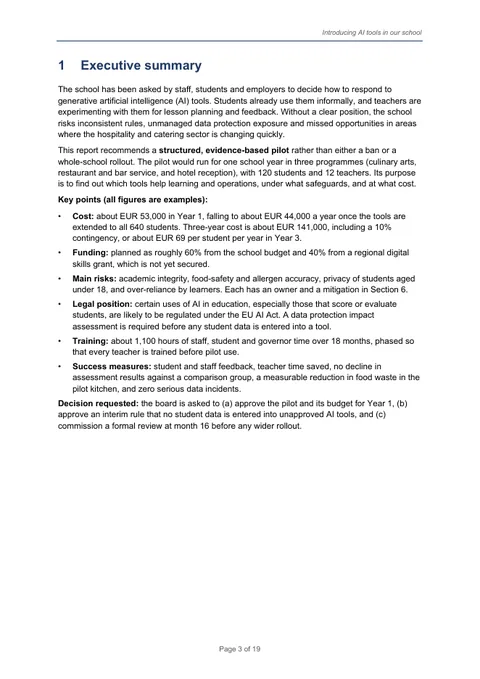
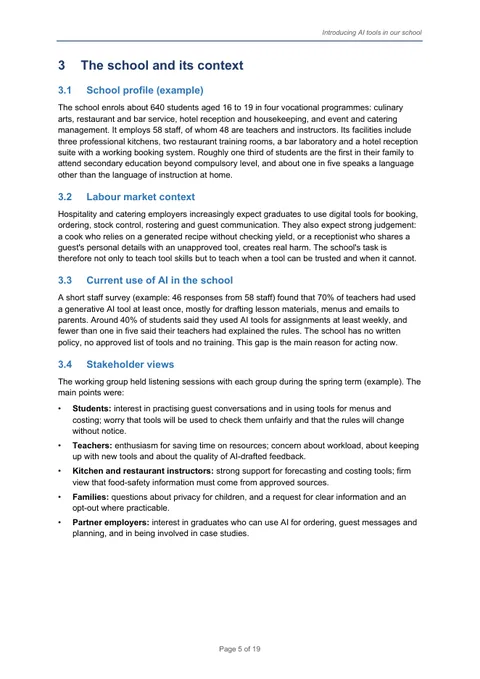
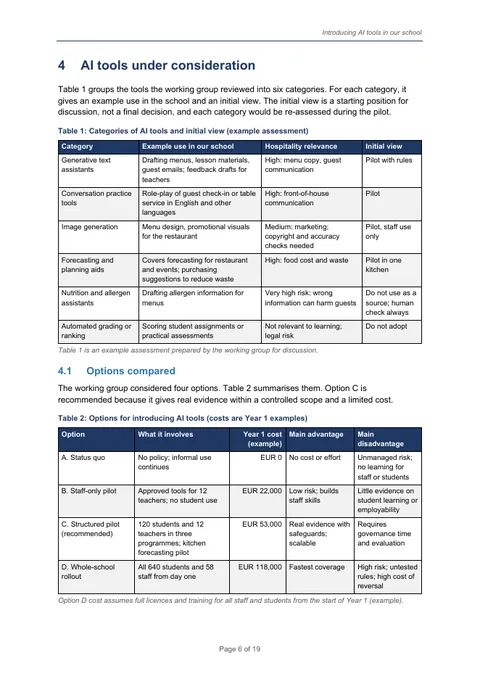
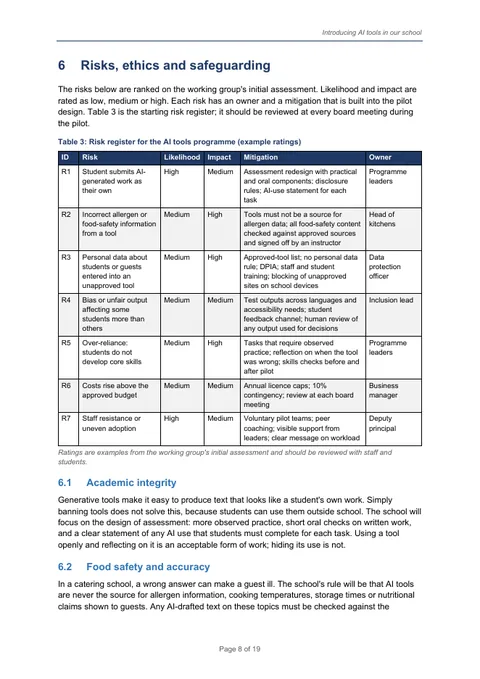
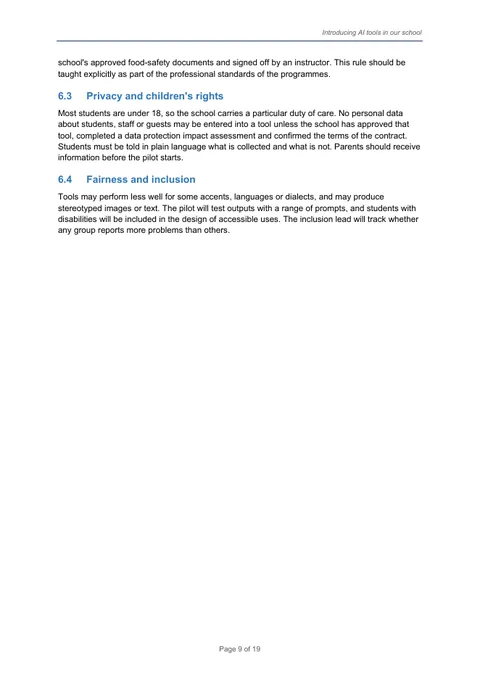
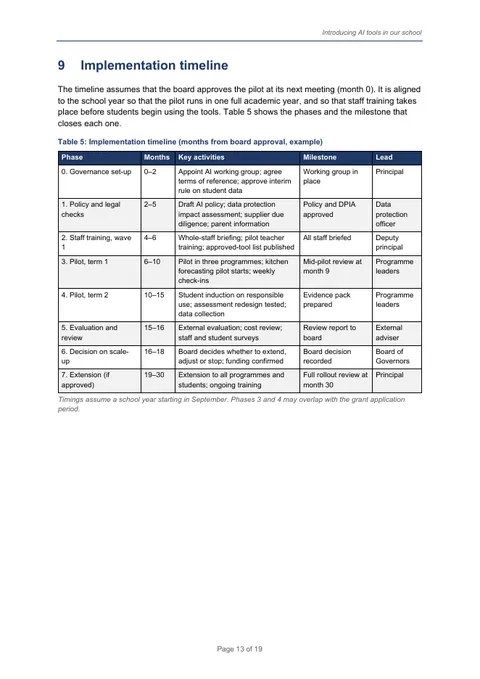
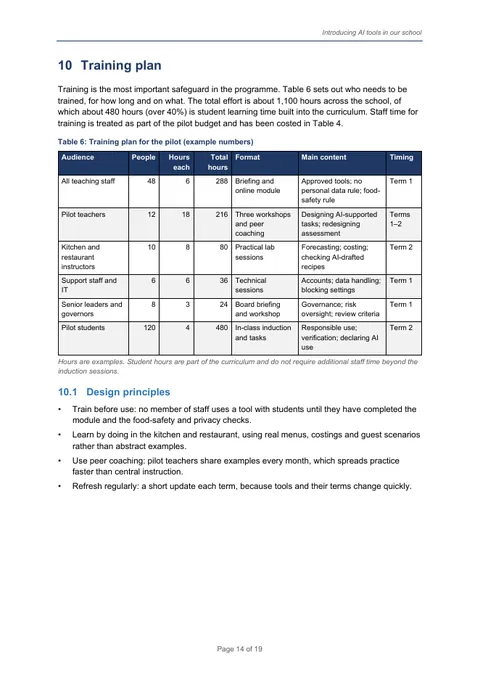
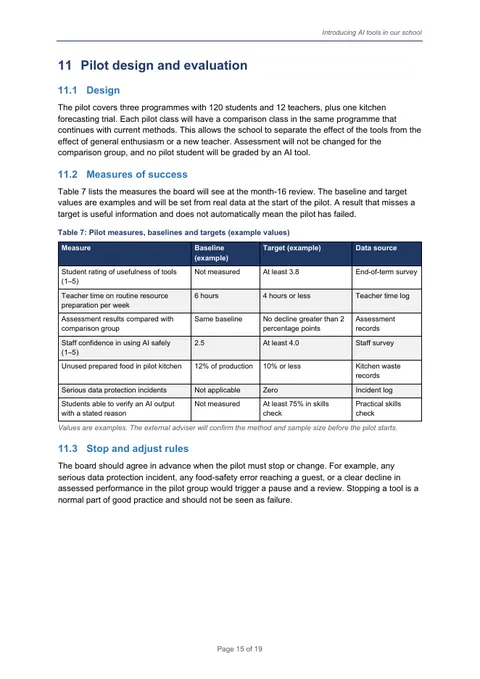
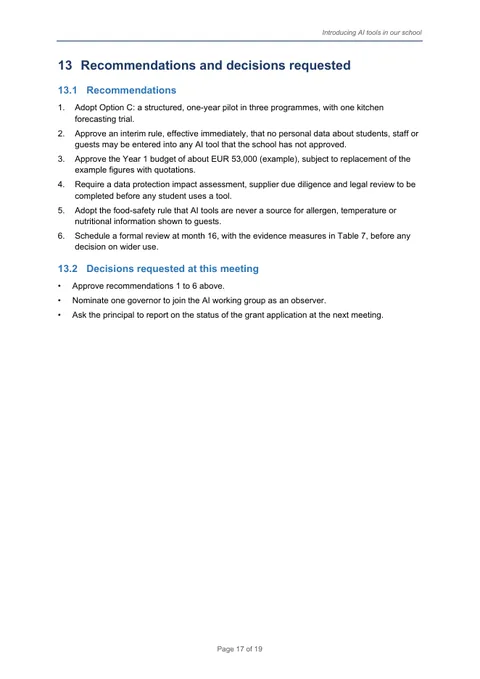
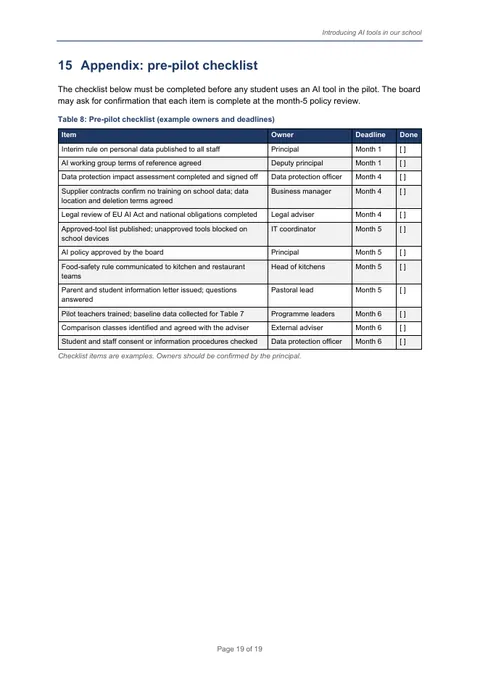
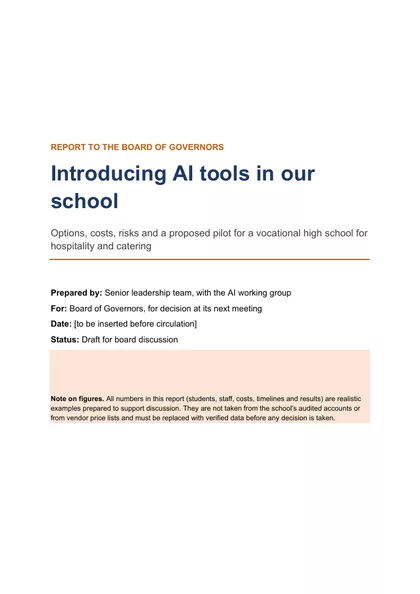
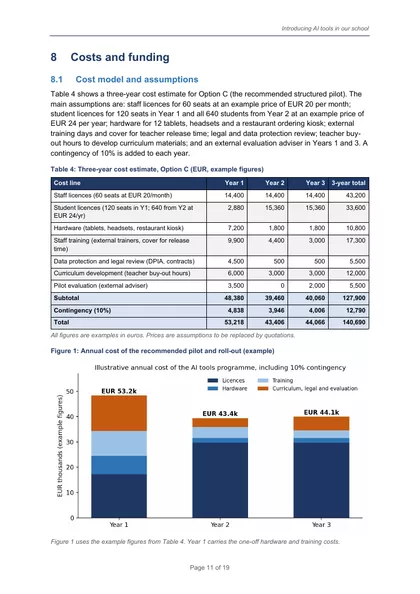
A Word report, from one request
A real test run with its own pages.
Write a report of about 20 pages for our school board: introducing AI tools in our hospitality school. Title page, contents, tables, a chart and page numbers.
- Works out the figures and draws the chart
- Writes the report and builds the Word file
- Looks at pages 1 to 6
- Looks at pages 7 to 14
- Looks at the last pages
- Fixes what it saw
- Checks the changed pages again
A board deck, slide by slide
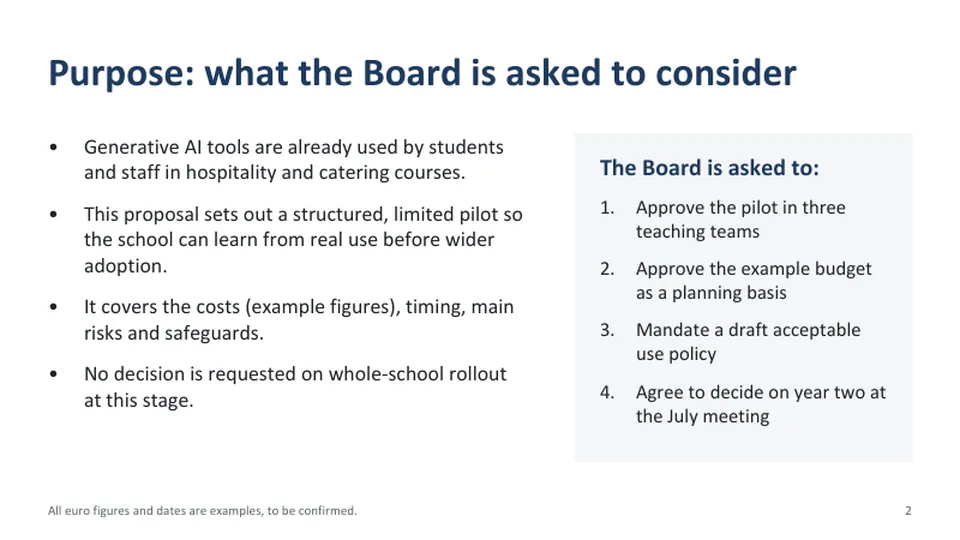
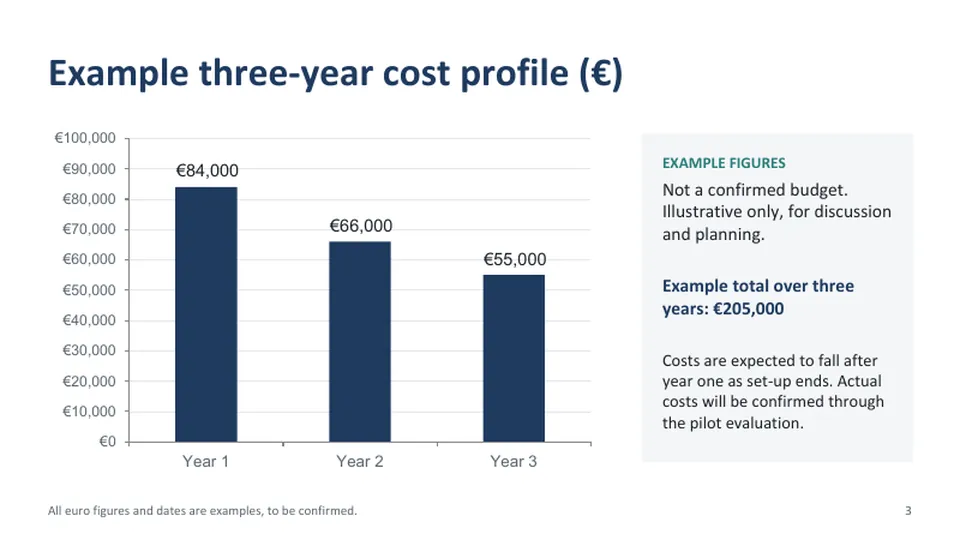
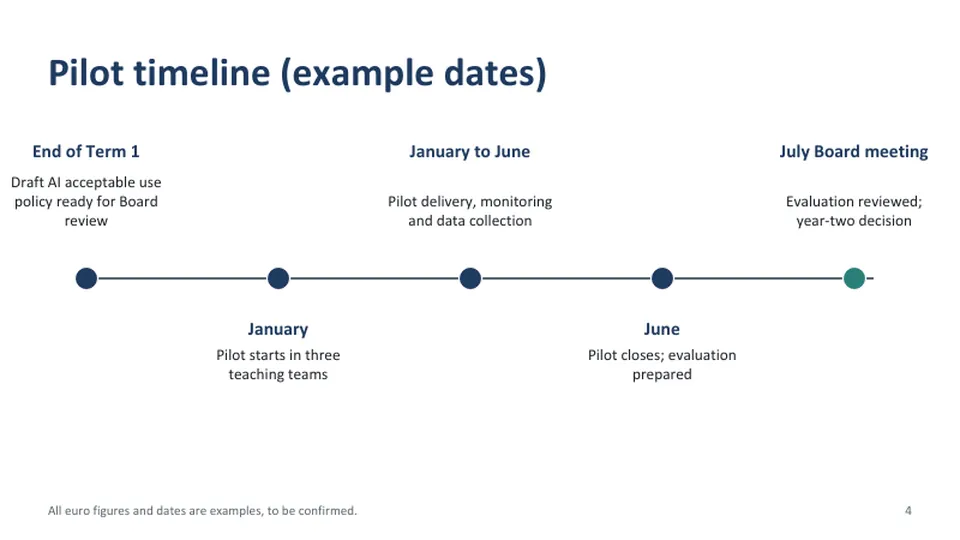
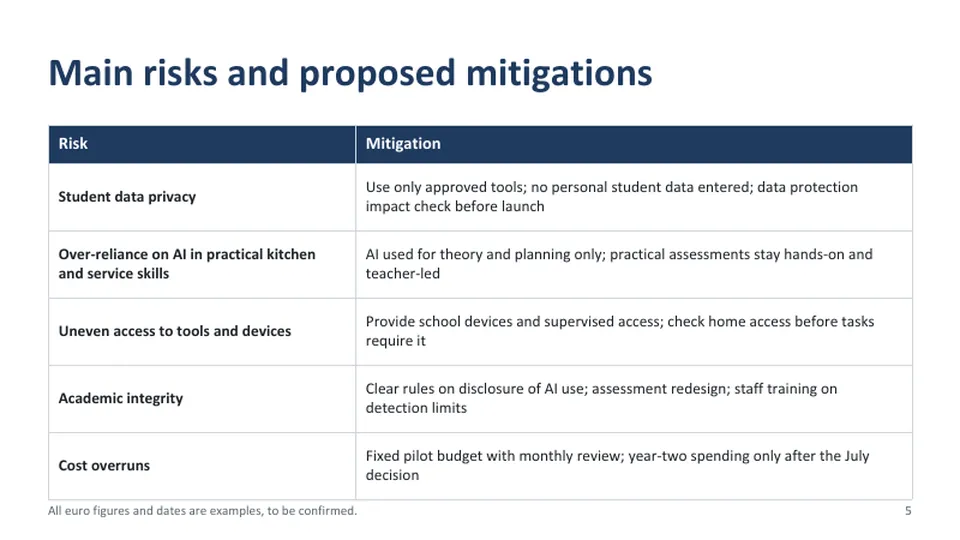
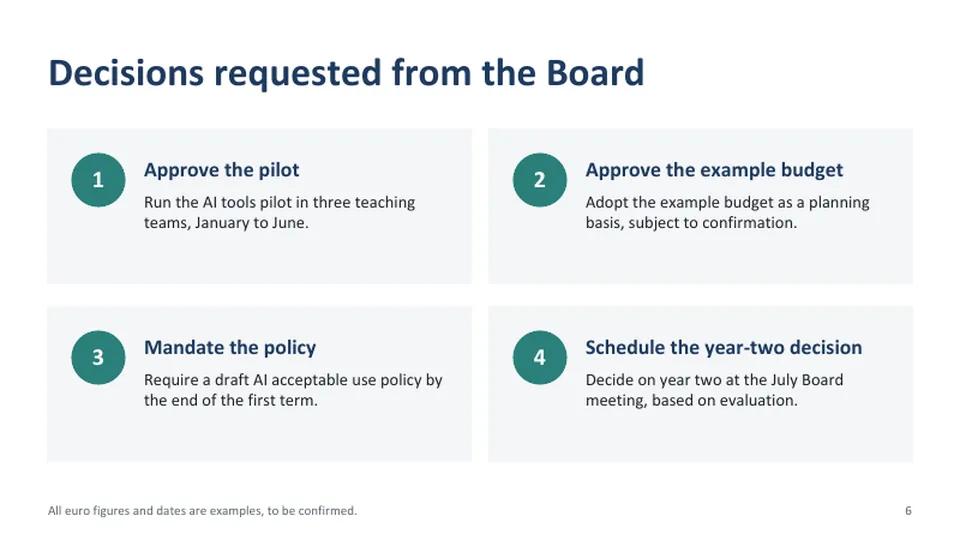
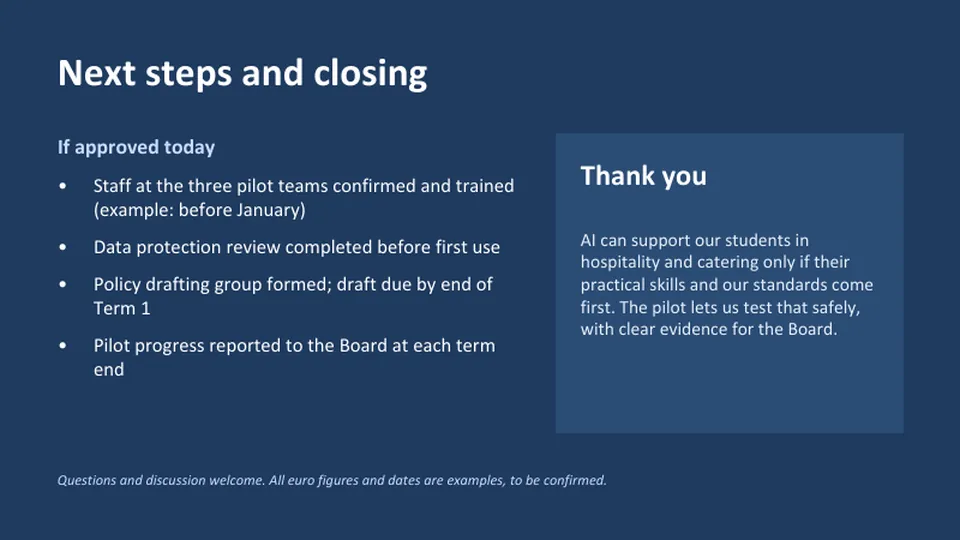
The slides of one test run, from a request of three sentences.

Where it helps, with examples
Open the files and look. Each one is a test run with invented names and figures, made from a short request.
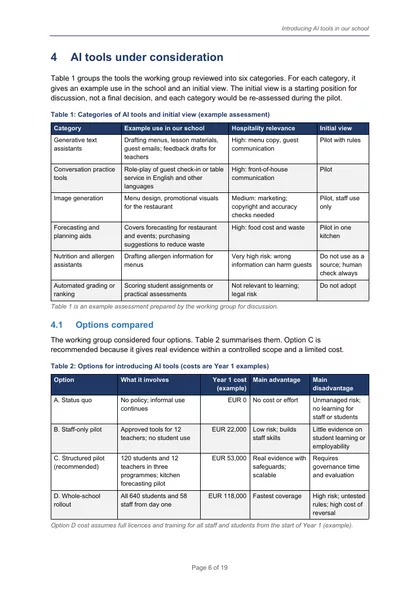
School leaders · 19 pages
A plan for the board
A long report with contents, tables and a chart, ready to discuss at a meeting.
The request: Write a report for our school board about introducing AI tools in our school, with contents, tables, a chart and page numbers.

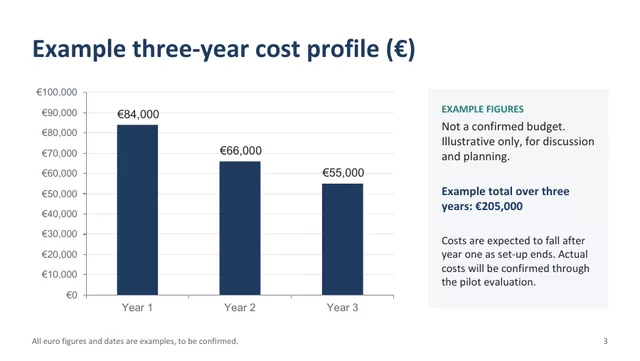
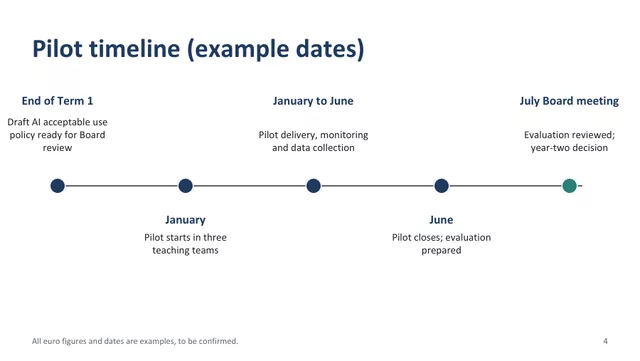
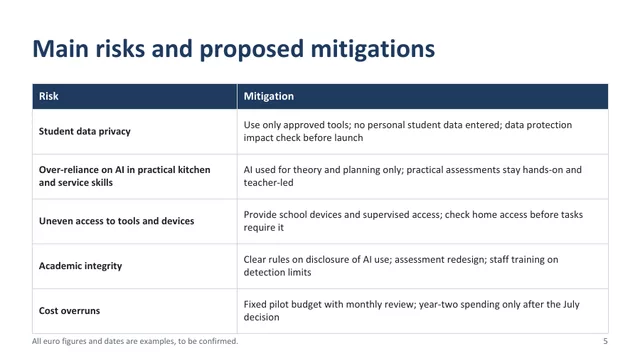
Managers · 7 slides
A decision deck
What is asked, what it costs, when it happens, the risks and the decision to take.
The request: Make a board deck about introducing AI tools in our school: the request, costs with a chart, a timeline, risks and decisions.
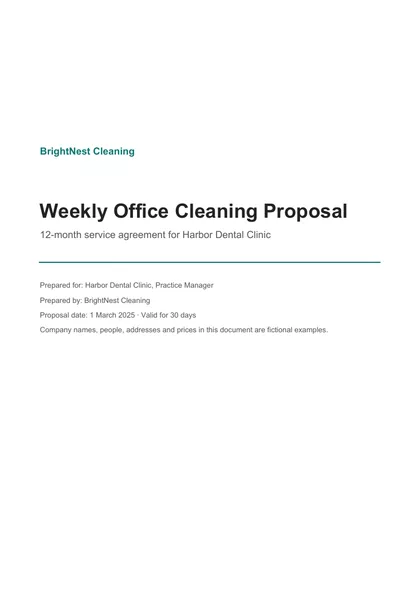
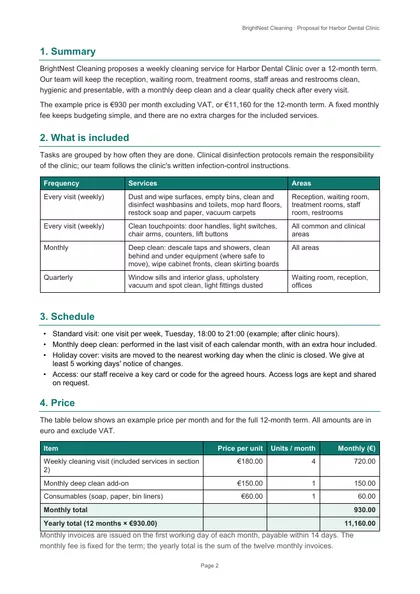
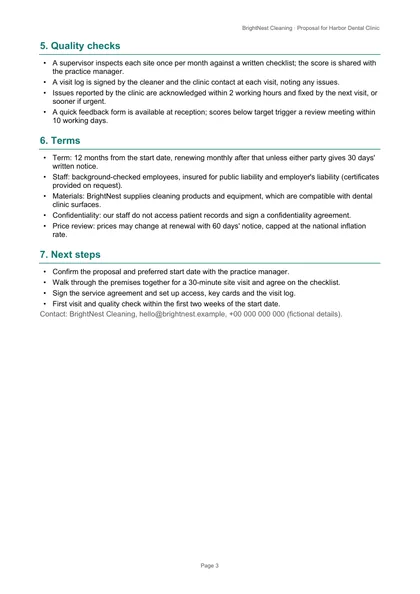
Small businesses · 3 pages
A client proposal
Services, schedule, a price table that adds up and the next steps, in one document you can send.
The request: Write a business proposal from my cleaning company to a dental clinic: weekly cleaning for 12 months, with a schedule and a price table.
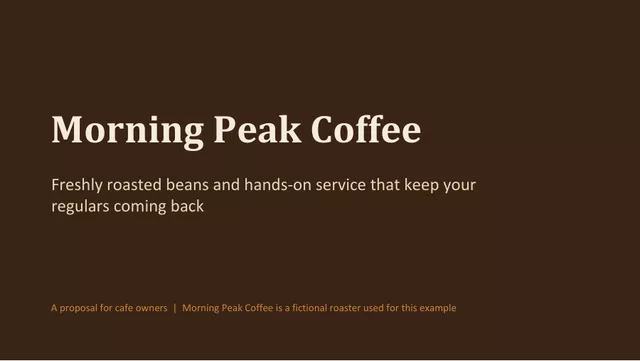
Sales · 7 slides
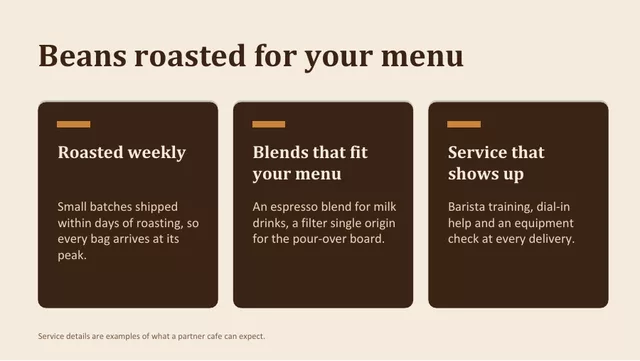
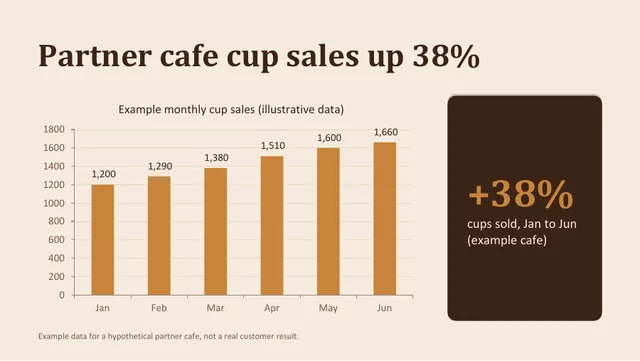
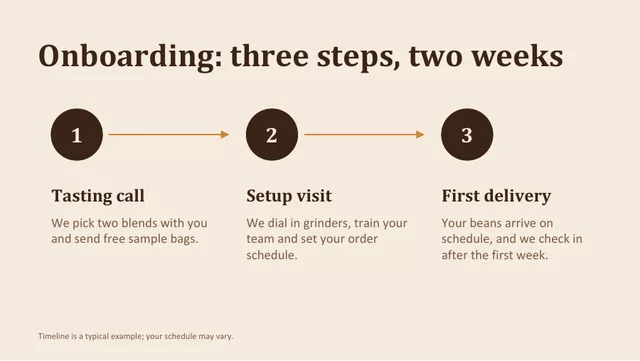
A sales pitch
The problem, your offer, prices side by side, a chart and a clear next step.
The request: Make a 7 slide sales pitch from my coffee roastery to cafe owners, with a price comparison and a chart.
Teachers · 2 pages
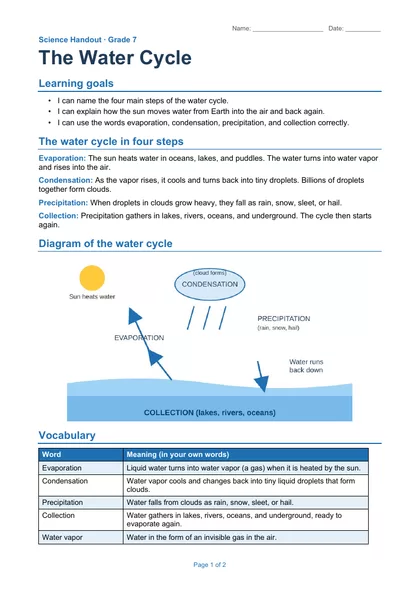
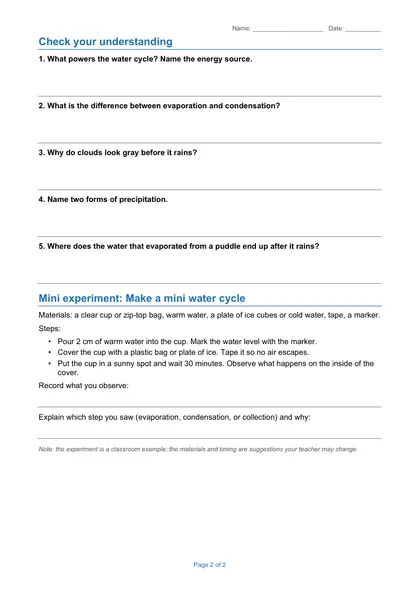
A class handout
Short explanations, a diagram, a vocabulary table and questions with room to write.
The request: Make a handout for 7th grade about the water cycle, with a diagram, a vocabulary table and five questions.
Teachers · 7 slides
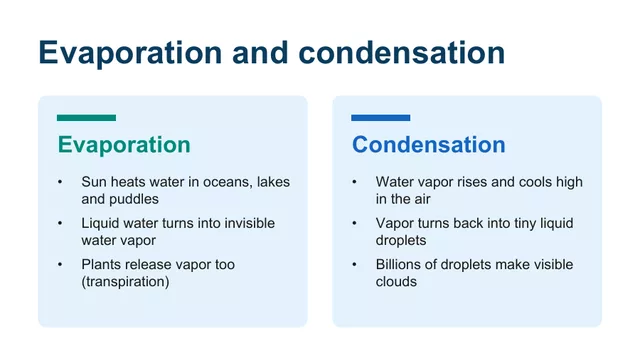
A lesson in slides
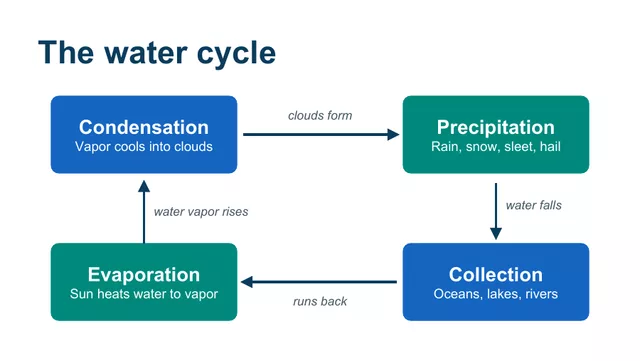
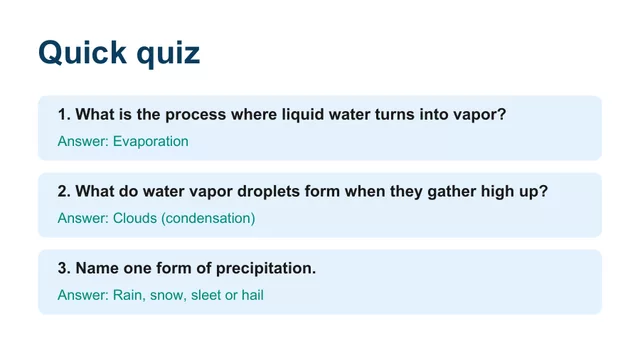
Goals, a diagram built from shapes, a quick quiz and homework, with large readable text.
The request: Make a 7 slide lesson for 7th grade about the water cycle, with a diagram, a short quiz and homework.
How it works
- 1
Ask
In the chat, type @ and pick “Pro Word report” or “Pro PowerPoint”. Say who it is for and what must be in it, or attach your files.
- 2
Watch it work
The assistant writes the file with code, looks at the rendered pages and fixes what is off. It usually takes one to four minutes.
- 3
Download
Open the Word or PowerPoint file, or send the PDF. Ask for changes in the same chat.
Questions people ask
Can I edit the file?
Yes. It is a normal Word or PowerPoint file with editable text, tables and charts.
What does it cost?
Pro skills need a paid plan or credits. You pay for what the file actually uses, so longer files use more credits; our test files took about 20 to 50.
Can it use my own documents?
Yes. Attach a Word, PDF, spreadsheet, text file or picture and say what to make from it.
Are the facts checked?
No. Check figures, names and references before you send anything. Facts you did not give are examples.
Ready for your next report
Ask in your own language. Add credits when you want the Pro version.